
For the developer
Start the small fix from your tracker, on your phone
The story is in the tracker. The code is on your computer. Getting from one to the other usually means sitting down at the desk — which is why the small bug that lands on Friday afternoon waits until Monday.
Name your tracker, then press Start.
- Check that the agent already reaches your tracker. Whatever MCP servers the agent CLI has configured for that project root travel with it. If the agent can list your board in a terminal on that computer, it can list it here.
- Turn the work-item recipes on. Both ship off. Turning them on is a deliberate act, because they spend a model turn talking to your board.
- Rewrite the prompt to name your tracker. The prompt is the entire configuration — which board, which project, and what counts as yours. Write it once for the computer, or per project when two projects read two different boards.
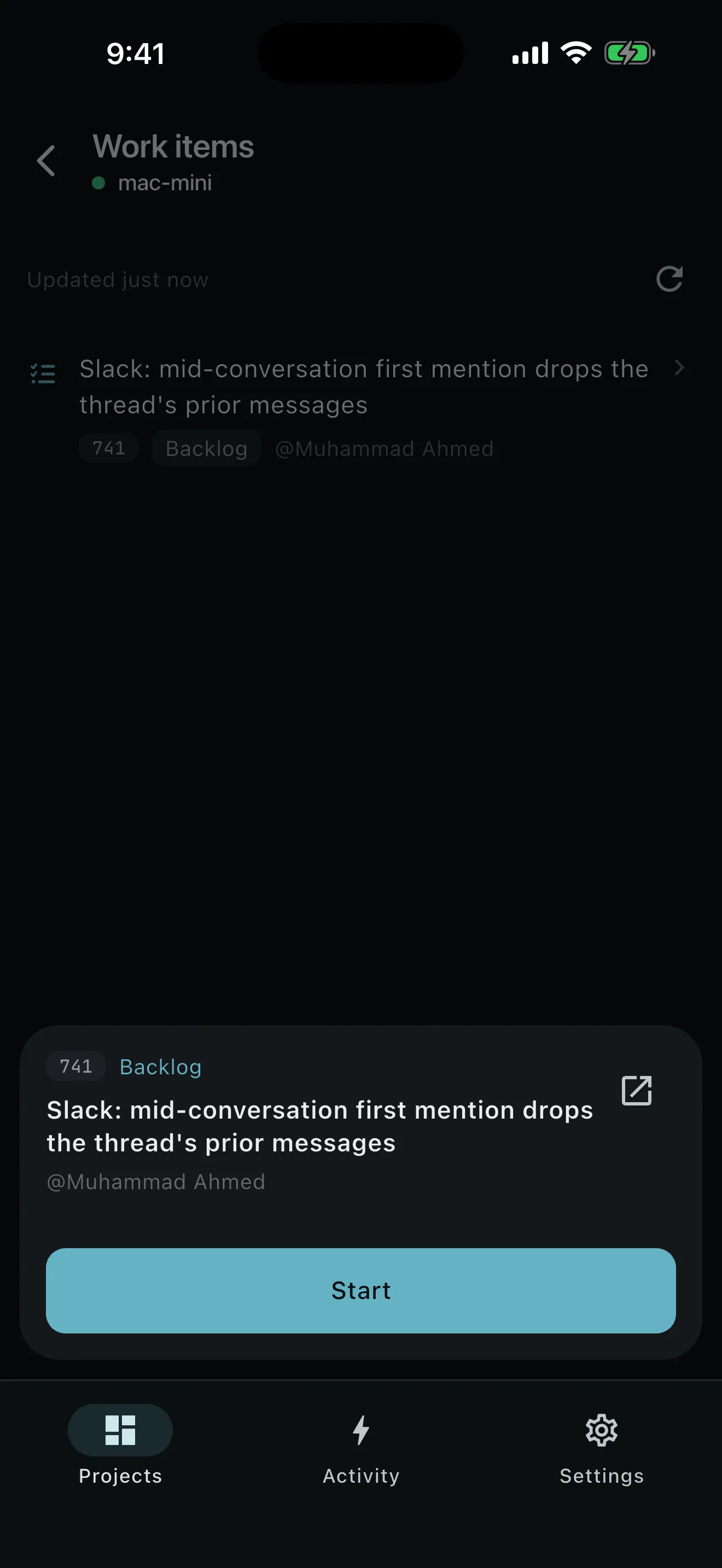
- Open Work items on the phone. The list is cached and stamped with when it was taken, so opening the screen costs nothing. A refresh is the only thing that spends a turn, and a failed refresh leaves the previous list standing.
- Start an item. It arrives in the normal create-workspace sheet with the summary and, if you asked for details, the description. Edit the first message, branch, model, effort, and mode before it runs.
- Carry it through the usual loop. Isolated worktree, its own branch off a snapshotted base, the real diff, the real tests, the pull request.
Two recipes, and the tools your agent already has.
Work items — list
Read the board and return what counts as mine: key, summary, state. Cached in memory and stamped with when it was taken.
- kind: project
- mode: Act
Work items — details
Read one item in full so the first message starts from the real description rather than a title. Independent of the list recipe.
- kind: project
- mode: Act
Both recipes use the servers your agent CLI already has, so there is nothing new to connect. They are project-kind recipes running in Act — the only mode that admits MCP calls — in the project root. They are independent: with details turned off, the list still works and an item starts from its summary alone, which is one model turn per story instead of two.
The agent on that computer reaches the tracker through its own configuration, the same way it reaches anything else. The credentials stay with the agent, and nothing about your board is stored.
The prompt is the whole configuration.
Any tracker the agent reaches is ready the moment you name it. Jira, ClickUp, Shortcut, Linear, Trello, and the internal tool your team built in 2019 are all exactly the same amount of work: name it in the prompt, and say what counts as yours.
PRCHD ships an agent on a computer that has your code, plus recipes, a schedule, and a webhook path. The tools are the ones the agent already has, which is why there is no list of supported trackers to check.
On a team host, the ticket can start the work itself.
On a computer a team shares, nobody has to press Start: a ticket moving to Ready for devfires a webhook trigger, the verifier extracts the ticket key, and an implementation recipe leaves a branch and a draft PR waiting. Same recipes, same postures, a different starting gun.
The engineer still picks it up on their own computer, with their own host, and reads the diff before anything lands. See how a trigger admits an event →
Your tracker keeps the record.
The work-item recipes ship off, and they need configuring. Setup is a prompt rather than a board picker or an OAuth screen: you write the prompt that names your tracker, and the recipes reach exactly what the agent reaches from that project root.
Starting an item leaves the item where it is. Starting is not recorded anywhere: the workspace carries no reference back to the story, so Start is alwaysStart, and whether you already started it is something you know and your tracker already tracks. A GitHub issue is different — an issue-backed workspace keeps the issue reference and can carry issue trailers into the commit and pull-request drafts. If you want a tracker item transitioned or commented, ask for it in the prompt; the agent has the tool.
A work-item list is a snapshot, stamped with when it was read, and nothing from it is persisted — the event log records what happened on this computer, not a mirror of a tracker’s database. Starting anything needs your computer to be reachable; work already running continues without you.
Turn a ticket into a branch without sitting down.
The tracker you already use, the agent already signed in, and the computer that already has the clone.