
For the developer
Brief the agent on the train. Land the branch at lunch.
From the first brief to the landed branch, the phone drives the session and your computer does the work — it owns the worktree, agent process, files, commands, and git history from start to finish.
On a computer the team shares, PRCHD answers questions in Slack instead, and that loop starts somewhere else entirely. Read the team loop →
Before the first session
Pair once, and every workspace is a tap away.
About ten minutes: install Tailscale on both devices, launch the host on your computer, sign in to an agent CLI, and scan the pairing code.
pair your phone with your computer
  → attach a local git repo
  → create an isolated workspace (agent chat, or straight to a terminal)
  → direct one or more agents
  → review files, diffs, commits, and running processes
  → verify with tests, a terminal, or the live app in your browser
  → commit, push, open a PR — or merge locally
  → close the workspace by merging or explicitly discarding it
01 / Direct
Start with a branch, not a chat bubble.
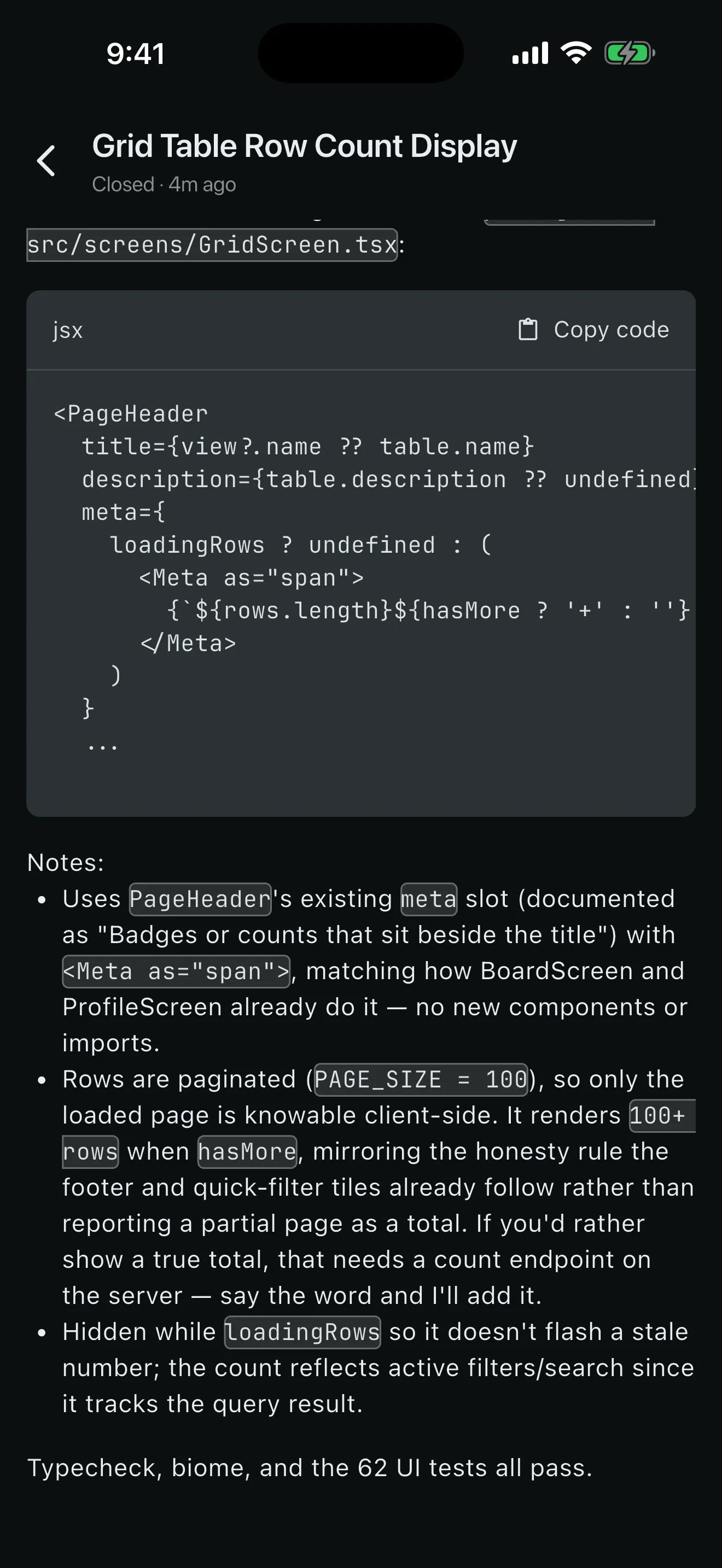
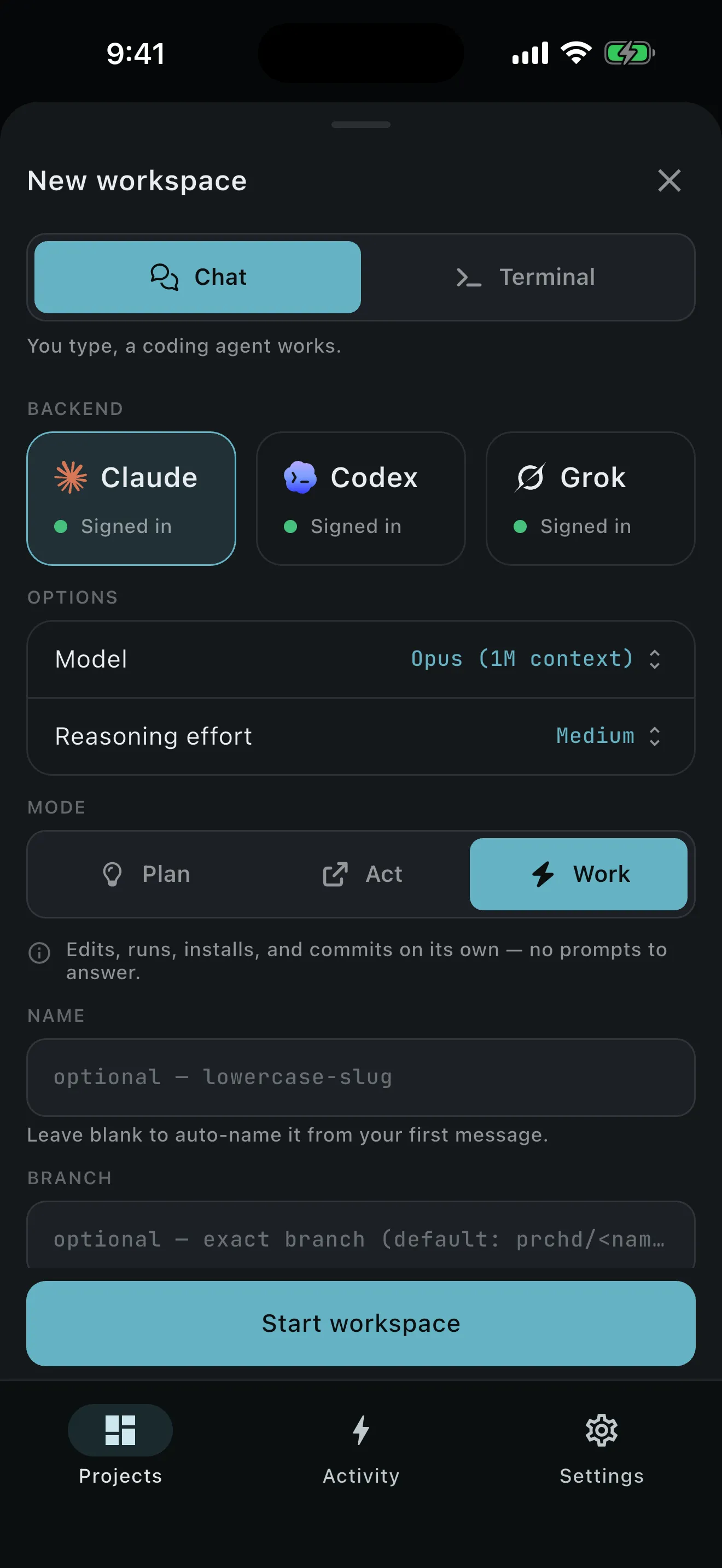
Each task gets its own worktree and branch, so it can be reviewed, tested, or thrown away on its own. Create chat-first, terminal-first, or from a GitHub issue. Choose the base ref and branch name, then pick Claude Code, Codex, or Grok with its model, reasoning effort, and Plan, Act, or Work mode.
- Your first message waits for setup, then sends verbatim
- Attach images, PDFs, and text files
- Mention files, pin context, stop, or steer
02 / Review
See exactly what the agent changed.
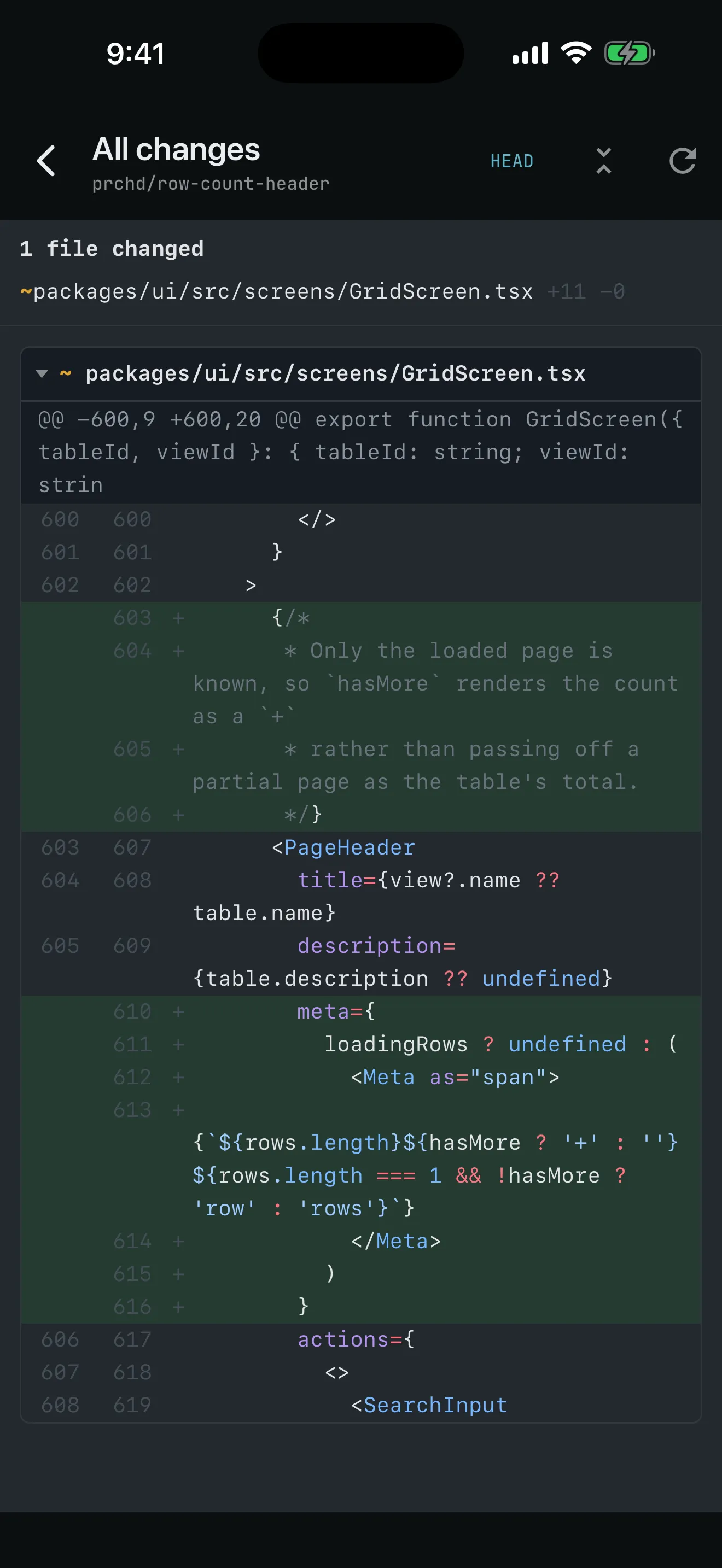
The diff is the real one: your computer renders it straight from the worktree, syntax-highlighted in the active palette. Review the combined diff, one file, the whole file, or every commit with its full message and scoped diff.
- Fork-point and last-commit anchors
- Markdown preview and source modes
- Select a span, add a note, Ask agent
- Stale-safe single-file revert
03 / Verify
Know it works before it lands.
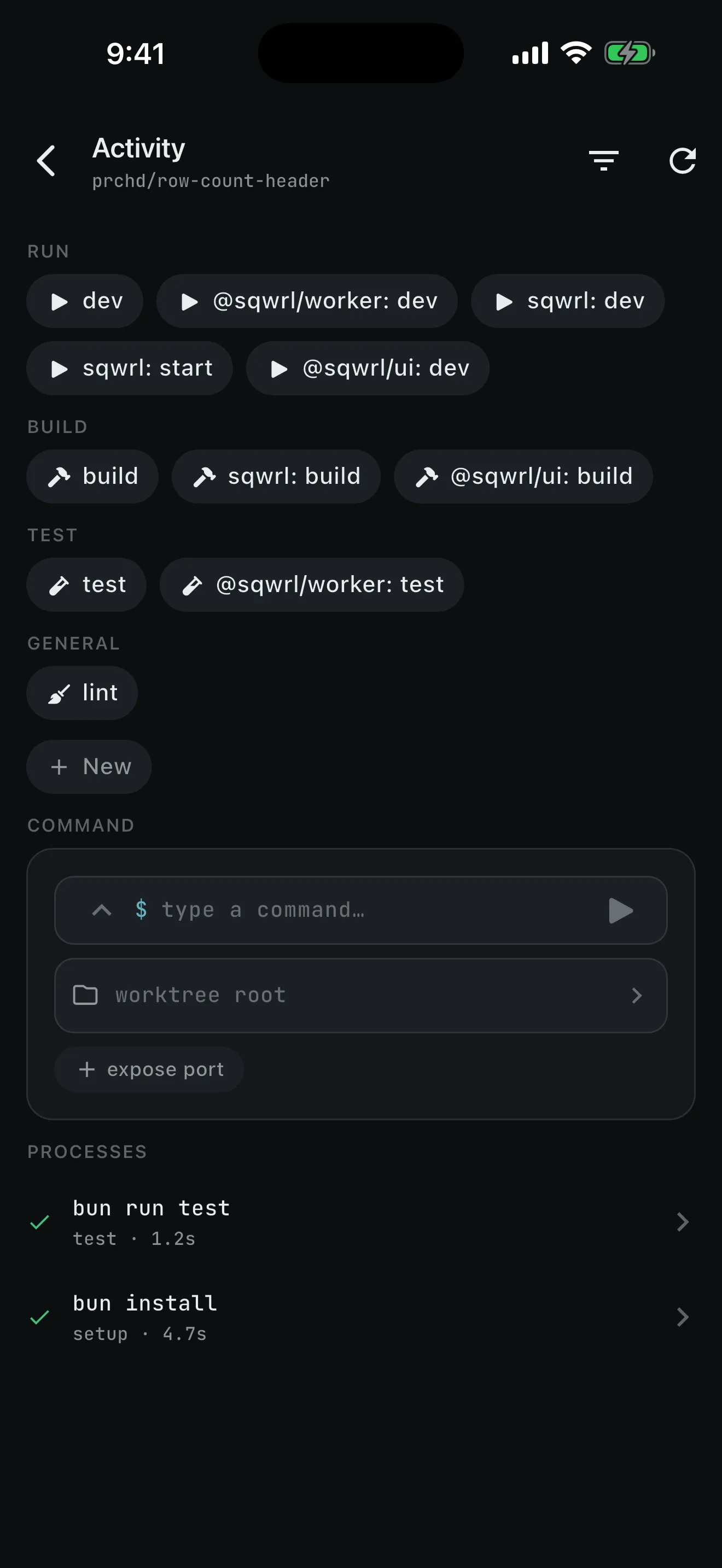
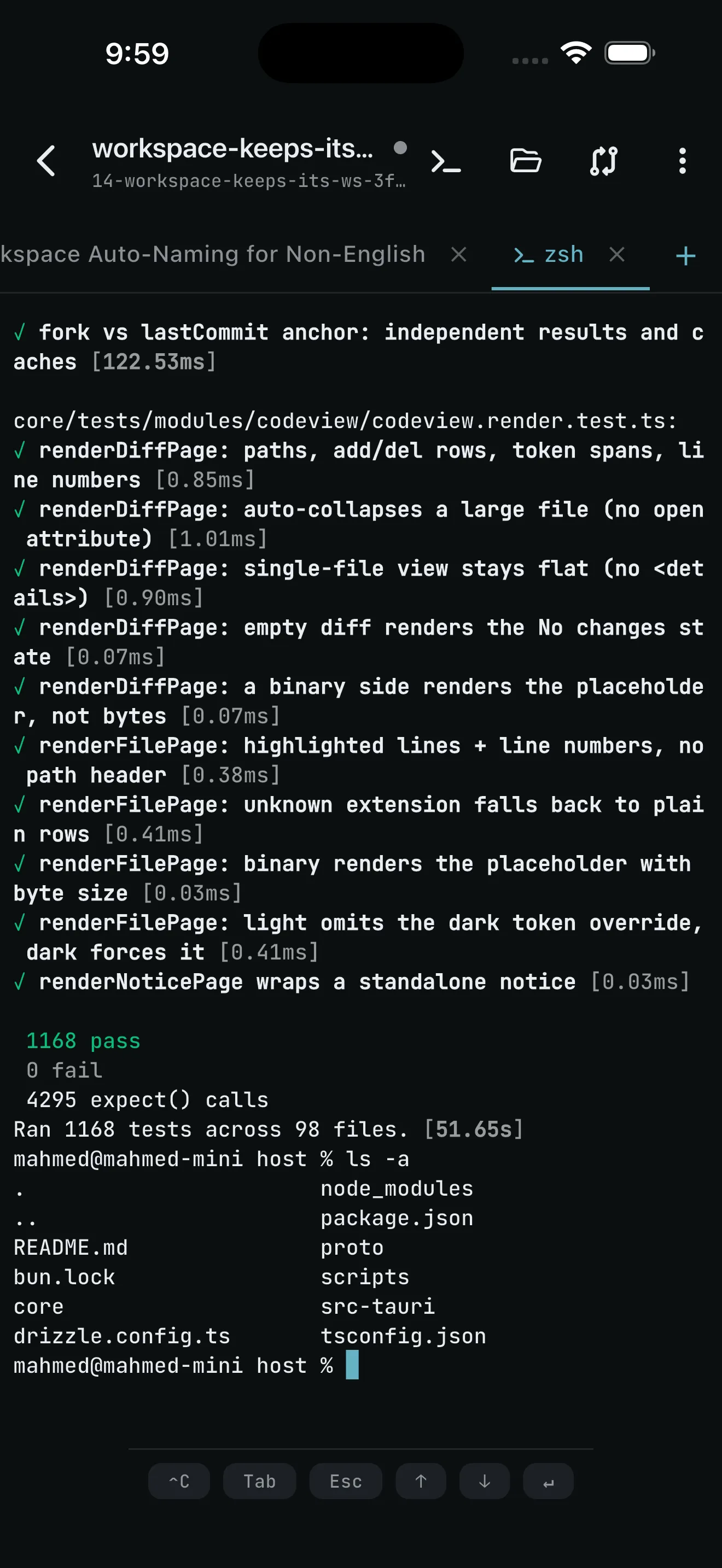
Prove the change in the real worktree: tap a command button, run an ad-hoc command, or open a real PTY. Every process has an outcome, exit code, replayable ANSI output, and an optional allocated port.
- Completed, stopped by you, and crashed are distinct
- TTY-gated tools work in the interactive terminal
- Open the dev server in the phone browser over your tailnet
04 / Land
The agent writes the branch. You decide what lands.
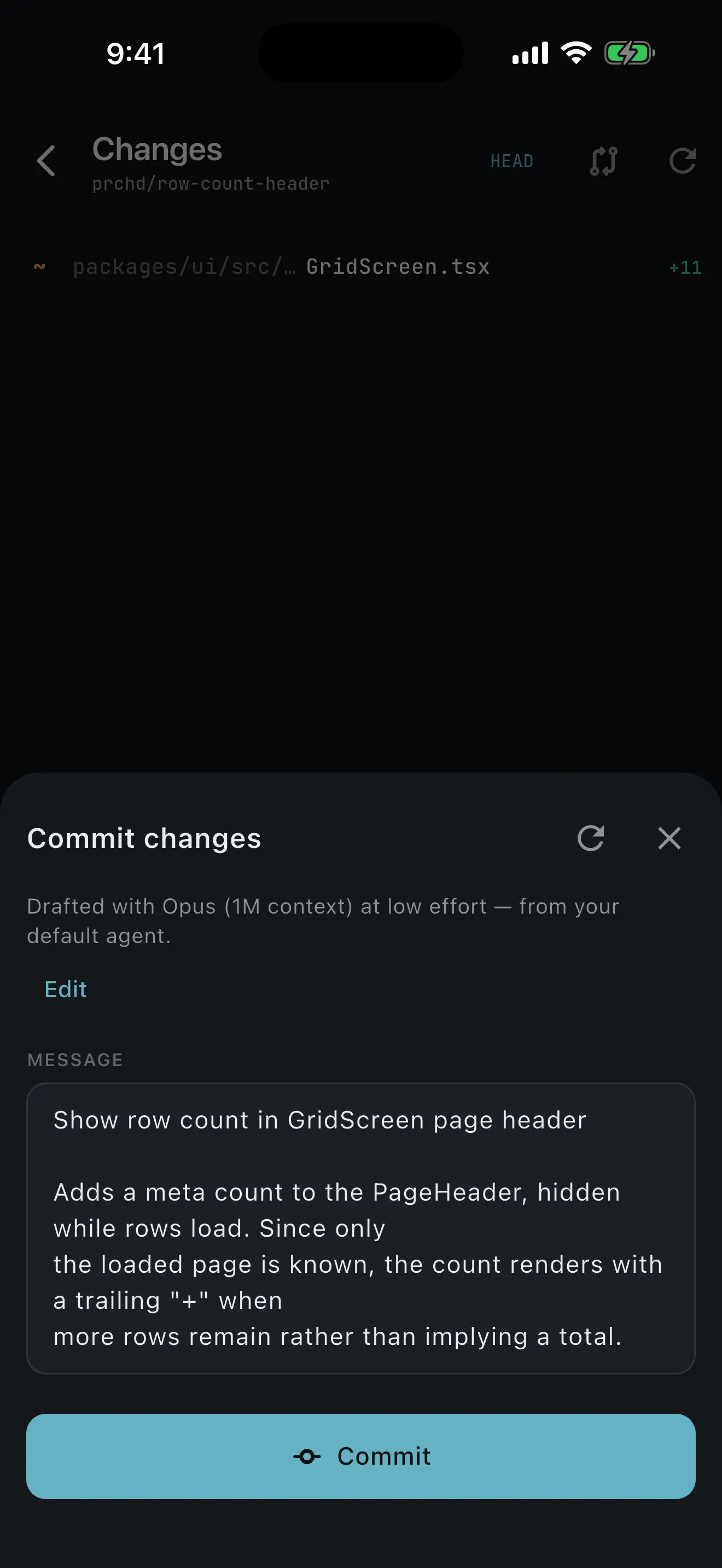
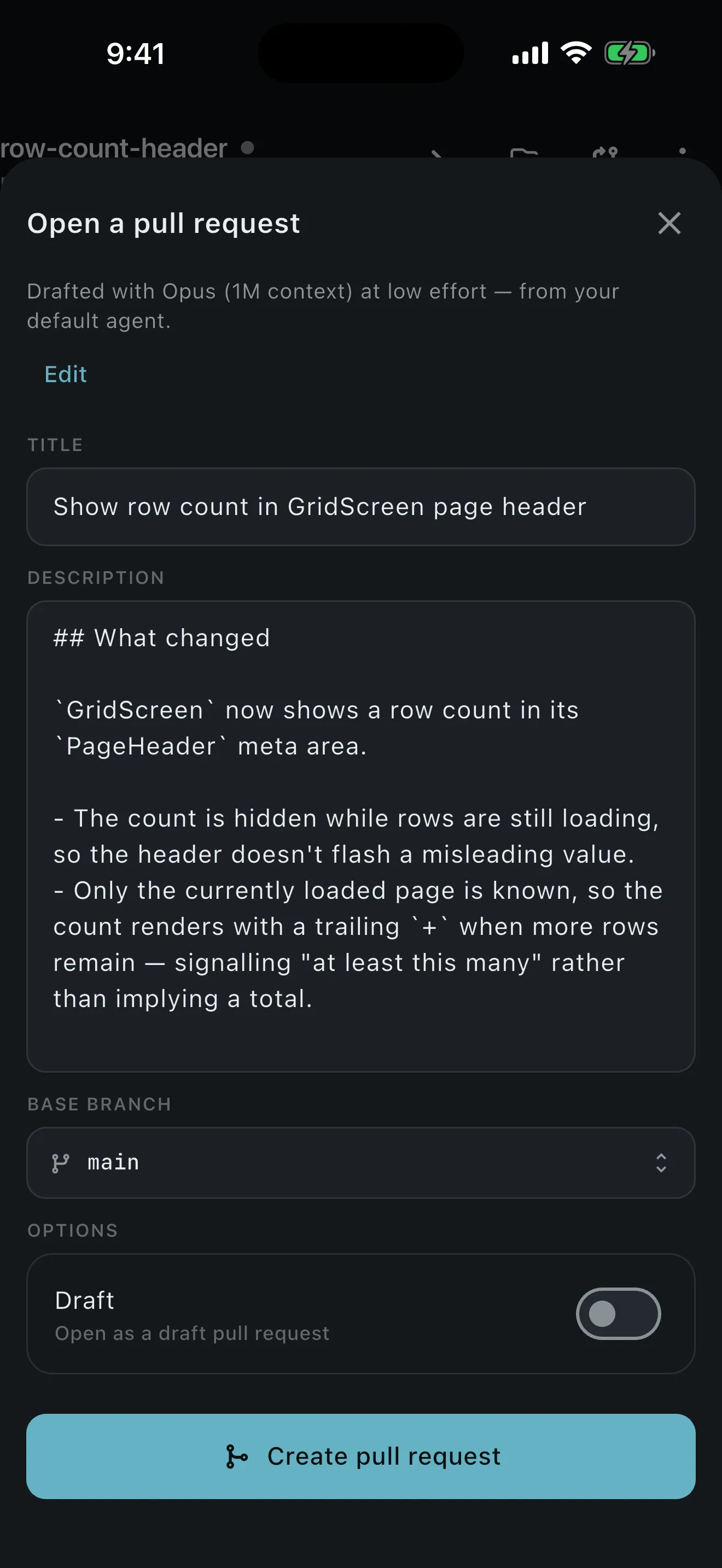
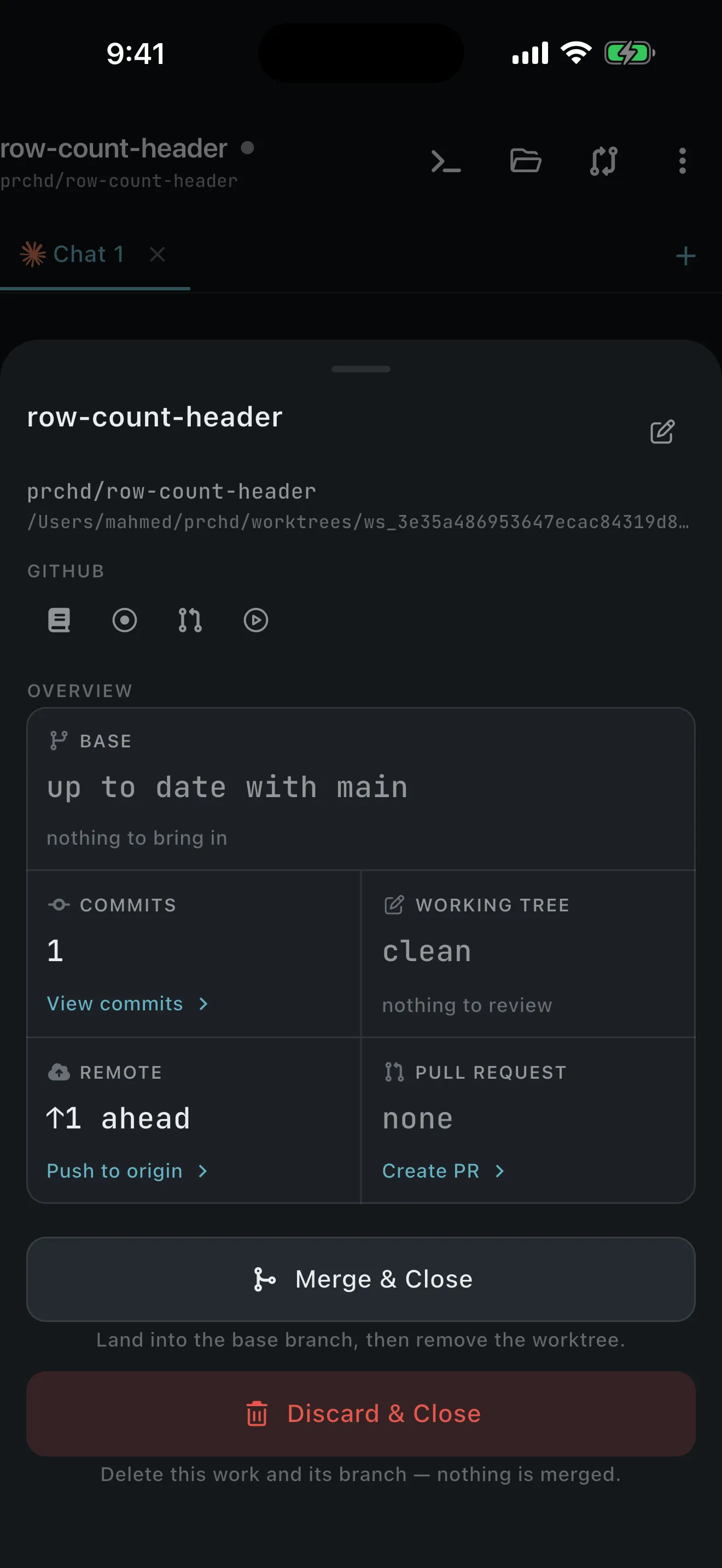
Update from base, edit an agent-drafted commit message, push, and see ahead or behind state. With a GitHub remote and gh signed in on your computer, draft and open a pull request from the same workspace.
Merge & Close lands the branch. Discard & Close removes it after confirmation. A close-time conflict keeps the worktree intact for you to resolve at the desk.
Between check-ins
Close the app. The work keeps going.
- Reattach and replayYour computer’s event log fills every gap from your cursor
- Reconcile messagesOptimistic sends deduplicate against authoritative state
- Recover after restartInterrupted turns settle instead of staying “working”
- Route from pushA push names the workspace and takes you back to live state on your computer
The loop is the center. Here are the edges.
Features lists everything PRCHD does today, where each part stops, and what it depends on.