
For the developer
Direct. Review.Verify. Land.
Install on your own computer, pair your phone, and take a branch from brief to merge without going back to your desk.
Your phone · your tailnet
See the developer loop →Remote control for AI coding agents
PRCHD runs Claude Code, Codex, or Grok on a computer you own. When an agent needs you, it finds you on your phone. When your team has a question, the code answers it in Slack.


The wait
Today that review happens at the desk the agent runs on, so the work waits until you’re back. Your team knows the same wait from the other side: a question the code could answer in a minute waits for an engineer with time to look. PRCHD moves the review and the question. The agent and the code stay put.
TodayWith PRCHD
TodayThe agent finishes a turn and waits at your desk until you’re back.
With PRCHDThe finished turn is on your phone. Read the real diff, reply, and the agent keeps going.
TodayThe tests, the running app, and the pull request all wait for a laptop.
With PRCHDRun the checks, open the app over your tailnet, and open the PR from your phone.
Today“Does a declined card retry?” waits until an engineer is free to look.
With PRCHDAnyone in the bound channel asks. The answer arrives in the thread, footed with the commit it was read from.
TodayKeeping an agent working while you’re away usually means a cloud sandbox and a copy of your code.
With PRCHDThe agent works in your real checkout, on your computer, with the tools already set up there.
Two remote controls
Install once, on a computer you own. Pair a phone, bind a Slack channel, or both — every install carries every capability.
For the developer
Install on your own computer, pair your phone, and take a branch from brief to merge without going back to your desk.
Your phone · your tailnet
See the developer loop →For the team
Install once on a computer the team shares and bind a Slack channel to a project. Everyone in the channel can ask, and the answer comes from the code itself.
@PRCHD does a declined card retry, and how many times?
Soft declines retry up to 3 times with backoff at 1m, 5m, and 30m. Hard declines are never retried.
Slack · the channel you’re already in
See the team loop →For the developer
Remote chat is the easy part. The diff, the checks, and the merge are where work usually waits for a laptop — PRCHD carries the session through all of them, straight from the real worktree on your computer.
Start a task the moment you think of it — from a chat, a terminal, or a GitHub issue.
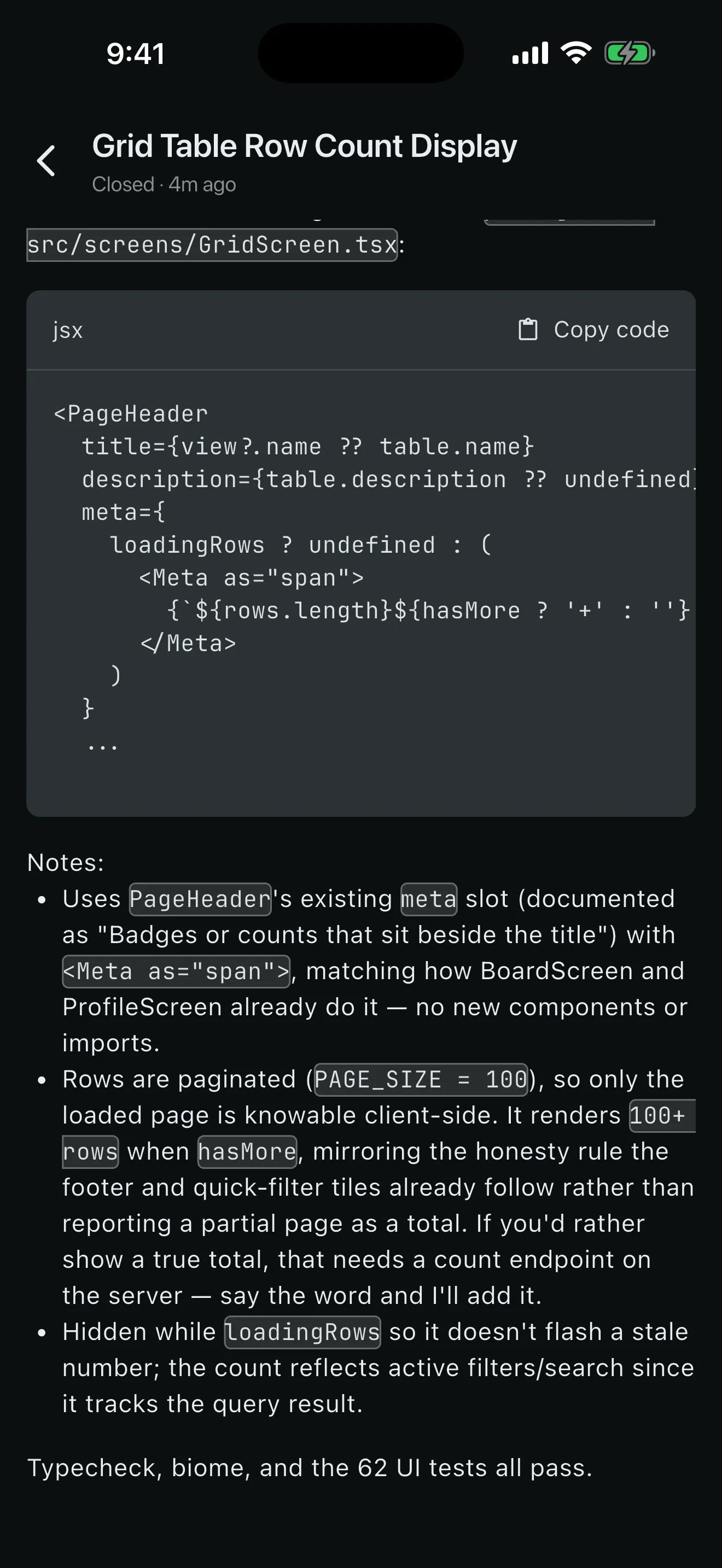
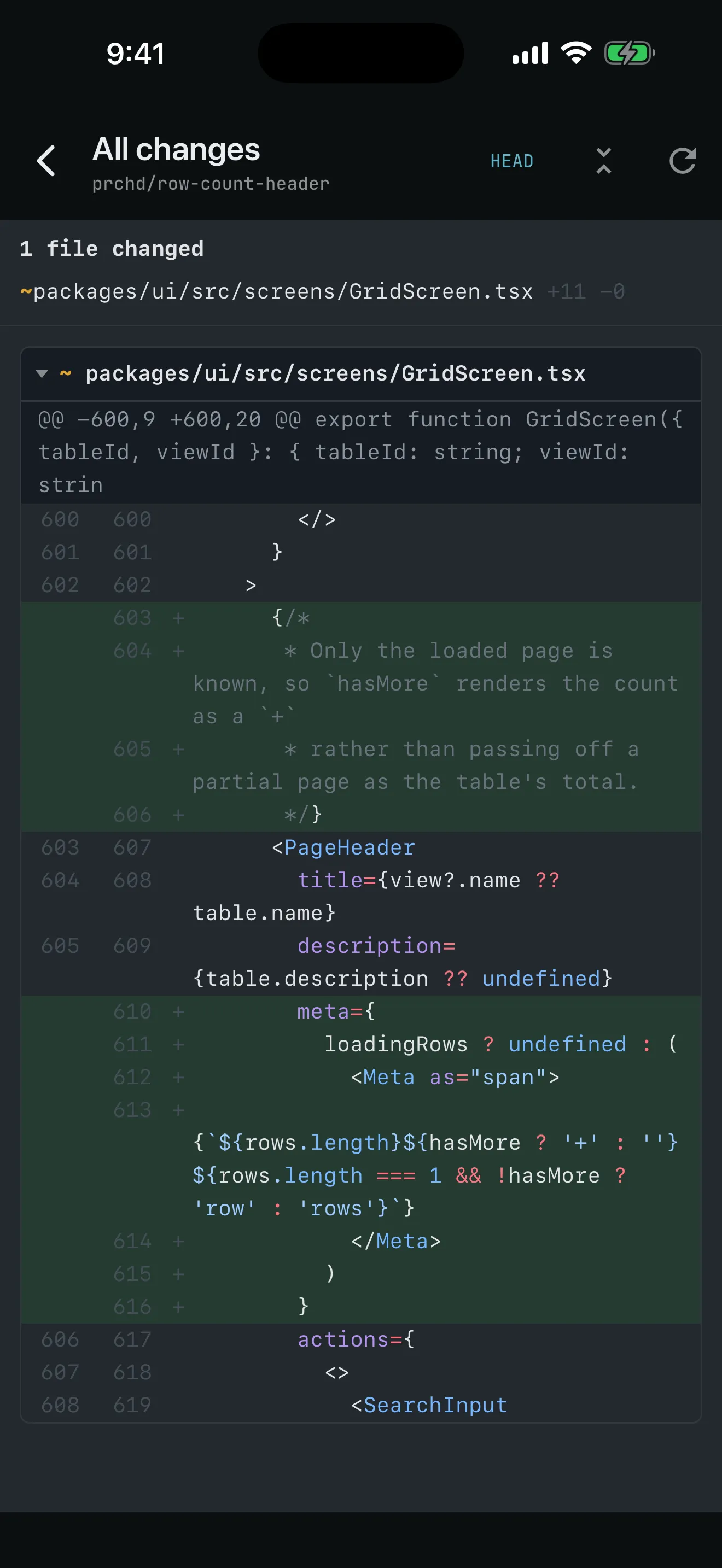
See exactly what changed: the real diff, rendered from the worktree on your computer.
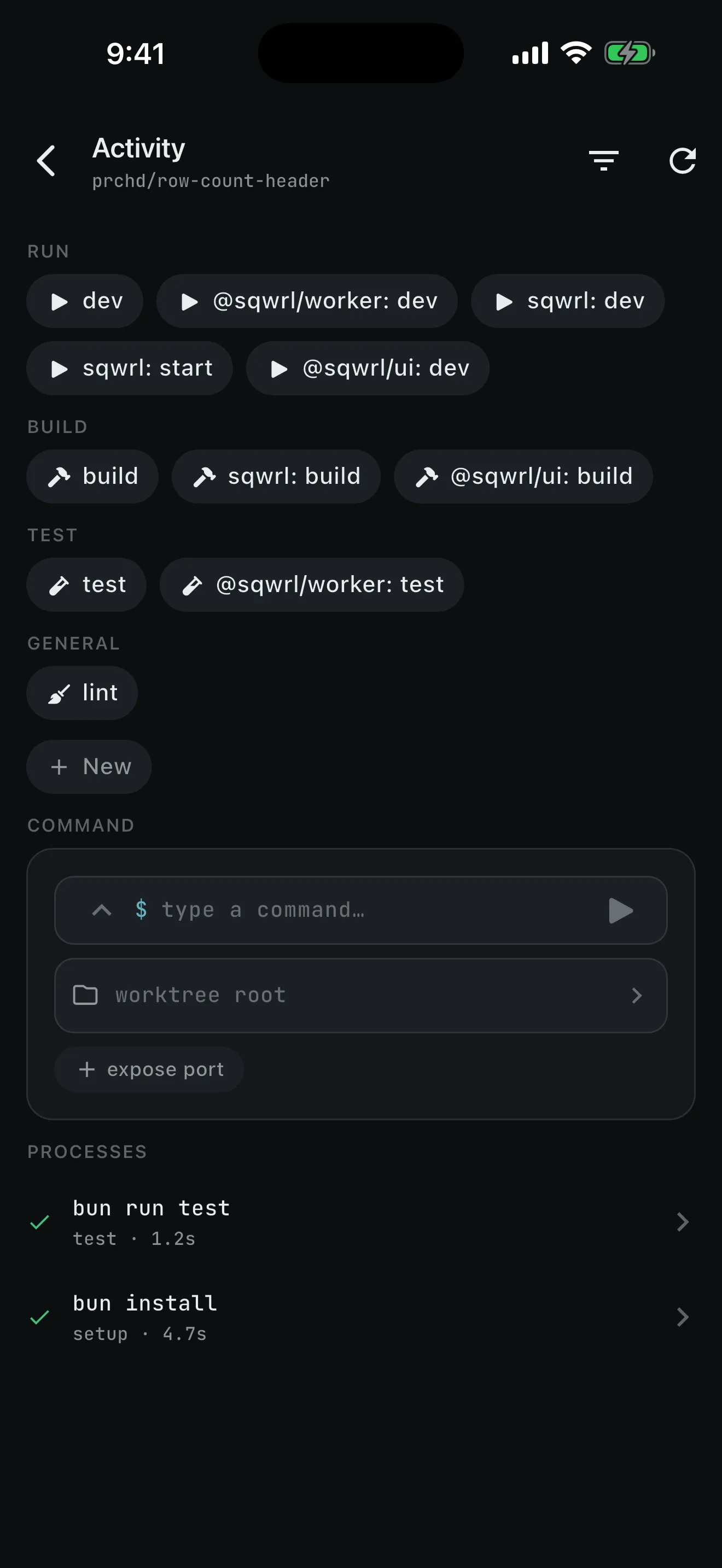
Know it works before it lands — run the checks and the app.
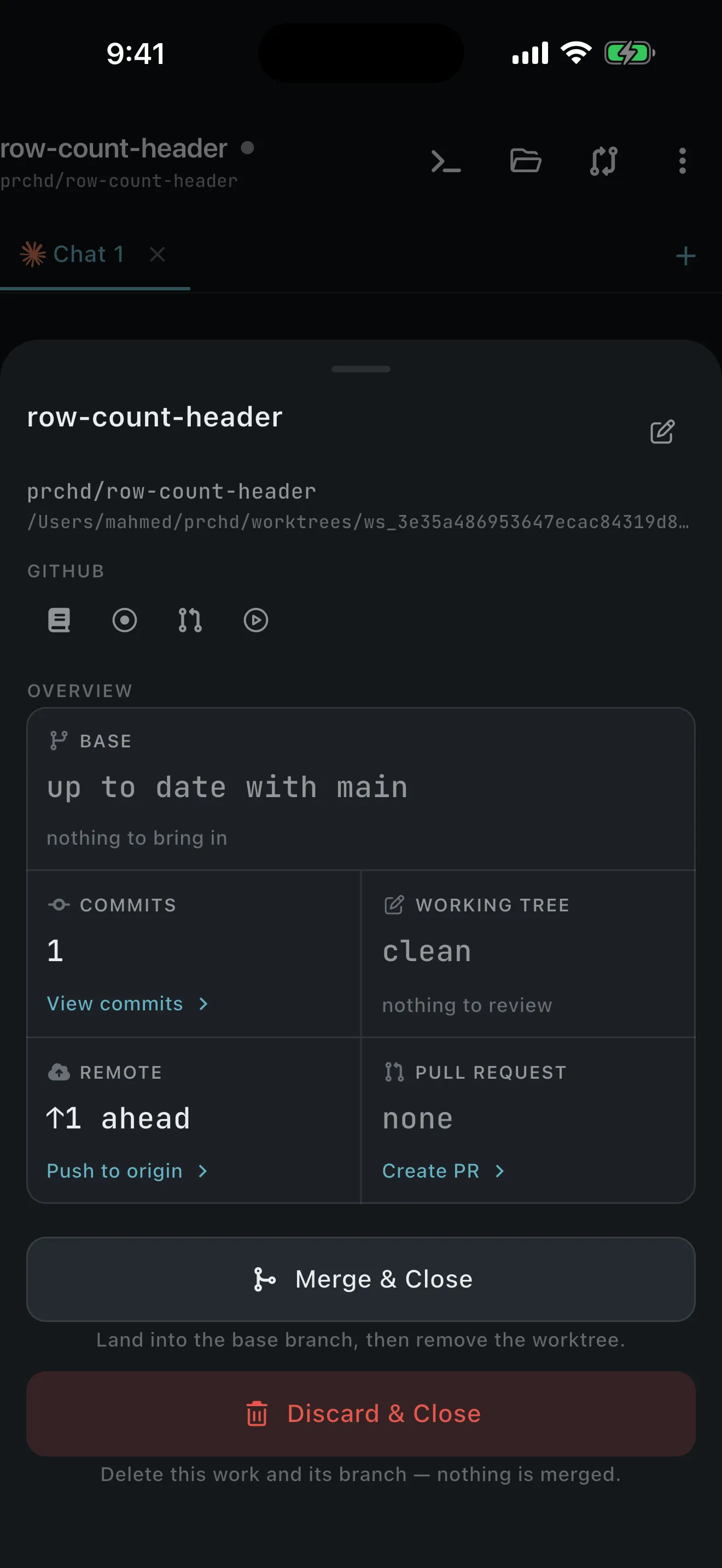
Commit, push, and open the PR — or merge locally and close the workspace.
For the team
Product, support, and QA ask the code directly, and the people who would have been interrupted keep coding. Install once on a shared computer and bind a Slack channel — nobody creates an account, installs an app, or pairs a phone.
Mention @PRCHD in a bound channel. The answer comes from the code as it stands today, footed with the commit it was read from.
Act mode — reads the checkout, writes nothing to disk
The jobs your team repeats, saved once as recipes. Start one from a private channel, a schedule, or a webhook.
Work-mode recipes leave a branch to review
A webhook turns something that happened elsewhere into a run on your computer — sealed in transit, checked by a verifier you wrote.
The host polls outbound and opens no port
One day, both remote controls
Two computers, one day, and nobody tied to a desk. The team’s shared computer answers and triages; the developer’s own computer writes the fix.
Hands-on coding happens on a developer’s own computer, not the shared one — by design. The shared computer answers questions and runs the recipes its operator set up.
Team host
The crash reporter calls a trigger URL. The office computer collects the sealed delivery, checks it with the operator’s verifier, and starts the triage recipe your team wrote against the real checkout. By morning, a story in the tracker names the suspect commit.
Unattended
A scheduled recipe read yesterday’s merges and posted the digest to #eng through the Slack notifier. It can honestly say “since last time”, because its prompt carries the time of the last successful run.
Team host
The answer lands in the #payments thread, footed with the project, commit, branch, and mode. Nobody was interrupted, and nothing on disk changed.
Personal host
On their own computer: a workspace opened from that tracker item, an isolated worktree, and an agent already reading the code.
Personal host
The real diff reviewed on the phone, the real tests run, the commit message edited, the pull request opened through the gh CLI. The desk was never involved.
Where your code lives
Repositories, worktrees, prompts, transcripts, diffs, command output, attachments, environment values, and the event log stay on the computer you installed PRCHD on — the one that already has your code and your tools. The agent works there, so there is nothing to copy into a hosted environment and nothing uploaded to be indexed.
One small public service handles what a computer with no open port can’t do on its own: it enrolls your computer’s identity, forwards short push notifications, and holds webhook deliveries until your computer collects them. Each delivery is sealed to your computer’s public key the moment it arrives, so the service only ever holds ciphertext, and it is never in the path of your work.
What you need
Start with the host on your computer; the phone and the Slack channel both connect to it. A Slack-only team host skips Tailscale and the phone app.
Optional A GitHub remote and the gh CLI signed in on your computer.
Standing watch
Run AI coding agents on a computer you own — and reach them from your phone or from Slack.