
Security
What PRCHD opens, sends, and keeps
Approving a tool usually means taking someone’s word for it. Here are the mechanisms instead: how a paired phone and a bound Slack channel reach the computer PRCHD runs on, how webhooks arrive, and everything PRCHD’s own service holds.
The tailnet is the boundary
The phone-facing gRPC listener binds your computer’s tailnet address or loopback — never 0.0.0.0. Reaching the API takes a route through your own Tailscale network; there is no public listener or port-forwarding setting to turn on.
A dev server opened from PRCHD uses an allocated port on the same tailnet path, so a preview is reachable from your devices and stays off the public internet. Compare that architecture with a cloud agent runner →
Pairing pins your computer’s key
Your computer shows a short-lived, single-use code carrying its reachable address, port, and stable public key. The phone generates its own keypair, pins the host key, and receives a bearer token. The computer keeps only a hash of that token. Private material stays in platform-secure storage.
QR and manual entry perform the same exchange. Pairing is the only unauthenticated operation, and its code expires after use.
Devices stay visible and revocable
The host dashboard and phone Settings list paired devices with last-seen times. Revoking a phone invalidates its token immediately and drops the live stream. Forgetting a computer on the phone removes the local relationship; pairing again creates fresh credentials.
App lock protects every open
The phone app can require Face ID, Touch ID, or the device passcode each time it opens. The operating system handles the check, and PRCHD receives no biometric data.
Pairing a phone is like adding an SSH key
A paired phone can run any command on your development machine, exactly as your own terminal can. Work mode lets an agent change files and run commands for the whole turn, with no prompt per tool. Plan mode investigates and proposes, leaving files and other systems as they are. Act mode investigates and calls tools that have effects elsewhere — filing a ticket, posting a message, querying a warehouse — while the files on your computer stay as they were.
Those tools come from two places. Two built-in MCP servers ship with the host, off until a project enables them: a browser the agent can drive on the machine, and a Slack notifier that lets a run post its own report. Everything else — the tracker, the crash reporter, the analytics warehouse, the internal API — reaches the agent through the agent CLI’s own MCP configuration on that machine. Those credentials stay with the agent; PRCHD doesn’t see or store them.
One switch on your computer stops phones from opening new shells, immediately, while existing terminals, command buttons, and agent chats keep working. Device revocation is immediate too. Workspace isolation keeps an agent’s changes to its own worktree and branch; it is not a virtual machine boundary.
The channel is the grant
Authorization is Slack’s: membership of a bound channel is the entire grant, and every member of that channel has the same reach. Remove someone from the channel and they are removed from the product. There are no PRCHD accounts, roles, or per-person permissions to administer.
That is a limit, stated plainly: a compliance model that needs per-person roles inside the tool needs a different tool. It is also the feature. People get answers without an account or repository access, and the audience for every answer is a room whose membership you can already read.
Three structural rules sit underneath it. A project answers in exactly one Slack workspace, or none; adding it to a second is refused by name. A channel speaks for exactly one project, and only for a project already added to that Slack workspace — checked once so the refusal has words, and again by a composite foreign key so a misclick cannot be stored either way. Channels shared with another organization are refused, because membership of one leaves the org.
Answers posted into a channel may quote code from the bound project. That is a per-channel export the operator consents to when binding, which is exactly why binding is an action taken at the machine.
Bindings are re-checked, not assumed
Every reconnect re-reads each binding against Slack’s own answer rather than trusting what was stored. A private channel that was made public has its run permission switched off automatically. A channel that became externally shared is unbound. A permission granted on Monday lasts only as long as the condition it was granted under.
Running is gated separately from asking. A run needs a private channel the operator explicitly enabled for runs; a public channel can never be runs-enabled. Asking runs in Act mode, which reads the repository and leaves it as it was. The channel supplies input text to a stored recipe, and the posture belongs to the recipe.
Slack is outbound
The connection is a Socket Mode client: the host dials out to Slack and keeps that connection open, so Slack needs no request URL, inbound webhook, or port to reach it.
When the socket drops, replies wait in a durable per-Slack-workspace outbox and drain when it returns. Mentions posted while the host was offline are read back from a per-channel cursor; one too old to be worth answering gets a “missed” reply rather than a stale run. A dead token parks the Slack workspace instead of reconnecting into a lockout, and the dashboard says auth failed.
A webhook never points at your machine
A trigger’s URL lives on the public PRCHD service and resolves there; creating one publishes nothing about your computer. The host collects deliveries by polling outbound, so it binds nothing and opens no port. The service’s whole job is holding deliveries while the host is asleep.
The path from their event to your prompt, in the order it happens.
- 01The eventA crash, an alert, a red build, a ticket movingtheir system
- 02Sealed on arrivalECIES over P-256; ciphertext at restPRCHD service
- 03Collected outboundThe host polls for it — triggers need no inbound portyour computer
- 04Your verifierFresh process, 2 s, the exact transmitted bytesyour computer
- 05The recipeA stored prompt under its own posture, with your variablesyour computer
- 06The deliverableA story filed, a branch left, a summary postedyour computer
The service cannot read what it holds
Every delivery is sealed to the host’s public key on arrival — ECIES over P-256: ephemeral key agreement, HKDF-SHA256, AES-256-GCM. The private half stays in the machine’s Keychain. The service stores only ciphertext; what a payload says, which trigger it fires, and what the run produced are known only to your computer.
The body travels base64 end to end, so a signature taken over its exact bytes still checks out on arrival. The payload is deleted as the run starts, so a third party’s data lasts only as long as its use. Failures dead-letter and stay replayable by hand for seven days; rejection diagnostics are kept for one day and are body-free.
A verifier you wrote runs first
Between the internet and a prompt sits a verifier: a small JavaScript function the operator writes. It is handed the exact transmitted bytes, the project’s environment values, and a crypto helper — HMAC, hashing, timing-safe comparison, Ed25519. It runs in a fresh child process per delivery under a two-second timeout and returns one of three verdicts: not authentic, authentic but uninteresting, or authentic and worth a run. Only the third starts anything, and on it the verifier can supply a dedupe key, a shaped body, and up to 24 short variables the recipe’s prompt interpolates as words.
Admission is ordered by cost — verify, dedupe, size, depth, admit — and every rejection is recorded with a reason in plain words. A wrong secret and a crashed function are deliberately distinguishable, because they want different fixes. A shaped body over 64 KB is refused rather than truncated, and a delivery older than three hours expires before it starts rather than mid-run.
Its limit, stated just as plainly: the verifier’s isolation is a contract, not a jail. It is the operator’s own code, in its own short-lived process, with the obvious globals removed — a guard against accidents in code you wrote, rather than a security boundary against code you didn’t. What a trigger supplies is input. It runs a stored recipe under that recipe’s own posture, with no prompt, mode, or target of its own, and built-in recipes are refused a URL outright.
What the PRCHD service sees
Your phone talks to your Mac directly over your own Tailscale network. Repositories, worktrees, prompts, transcripts, diffs, command output, and attachments stay on your Mac.
There is one PRCHD service. It enrolls your Mac’s identity and forwards short notification requests to Apple and Google. It is not a relay for app traffic and never sees source code. It stores no project, workspace, chat, event, prompt, or notification body.
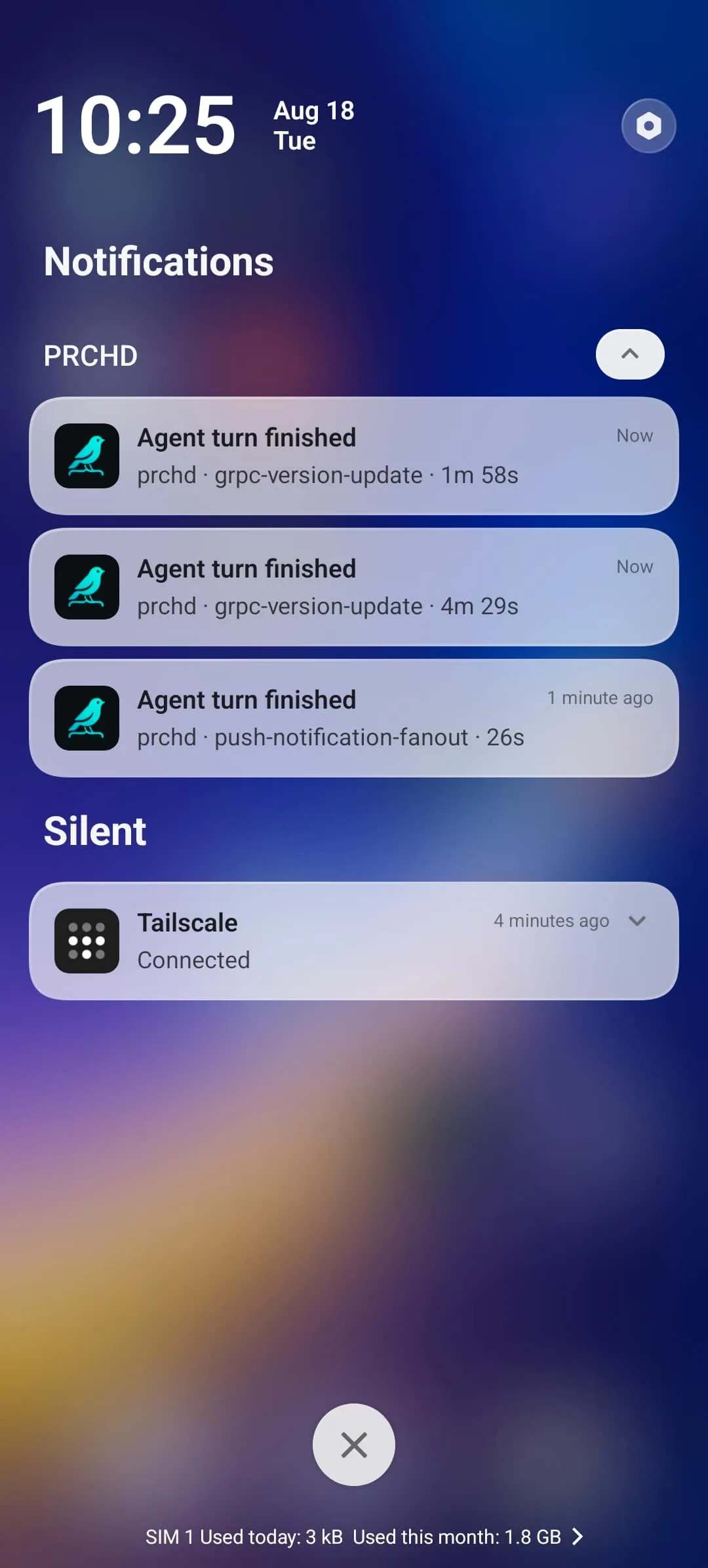
A push notification names the project and workspace so you know what needs you — like “Agent turn finished · prchd · fix-login-flow”. Beyond those names, payloads carry fixed event values and opaque routing ids — never code, prompts, paths, diffs, command output, or agent prose. Connecting a Mac stores one email address for the sign-in code and new-Mac notice. A Mac you never connect sends the service nothing.
The service also holds trigger deliveries, sealed to your computer’s key, until the host collects them. Lock-screen copy says what happened and where — the project and workspace — and carries no code, prompts, diffs, paths, command output, or agent prose. The phone gives its push token only to the computers it is paired with; each one encrypts it with a Keychain-backed key before registering it with the service.
A team host with no paired device sends no push at all: its notification path is the Slack thread the work was asked in. A binding marked private keeps its activity on the computer entirely, so a developer who pairs a phone and also answers a team channel keeps the team’s traffic out of their own feed.
Keys stay in the Keychain
The P-256 service-signing key and the notification data-encryption key live in the macOS Keychain and nowhere else — not the database, not a configuration file. For GitHub and the agents, PRCHD uses gh and the agent CLIs already signed in on your computer, so it holds no GitHub token or agent credential of its own.
Environment values are write-only
Per-project environment variables, and a host-wide rung beneath them, are sealed under a Keychain key. Once saved, a value is opened only to launch something: agents, commands, terminals, tasks, recipes, and trigger verifiers resolve them at launch, and no surface, log line, event, or screen reads one back. Every view shows the name, a masked tail, the rung, and when it last changed. The ceilings are 64 values per scope and 8 KB per value.
The Slack bot token follows the same rule from the other direction: an agent’s subprocess receives it as a Keychain account name, never as a value in its environment.
Recipes run only what you authored
A recipe is a record the operator authors in PRCHD — on the computer or the phone — scoped to one project or to every project on the host. Recipes exist only as those records, so repository content stays content: a file in the repository can’t become a runnable action. The prompt reaches the agent verbatim. Built-in recipes keep host-owned rules and let you customize only their prompt text; recipes that run in the project root, instead of a fresh worktree, run in Plan or Act mode and leave files as they are; and a recipe can’t be deleted while an automation or a trigger still points at it.
Everything is on the record
Every Slack interaction lands as a content-free slack.* event naming the Slack workspace, the channel, the asker’s Slack id, and where relevant the thread’s permalink — question received, run requested, refused with a reason, reply posted, reply failed — beside the chat’s own transcript. Across the whole product, a user-triggered event also records which surface caused it: the popover, a phone, an automation, or Slack.
Underneath all of it is an append-only event log that is the source of truth. Every view — the dashboard, a phone, a Slack thread’s correlation — is a projection of that log, which is why state survives a dropped connection, a backgrounded app, a missed notification, or a Slack socket outage.
Diagnostics use an allow-list
Packaged builds include crash reporting and an allow-listed product-metrics catalog tied to synthetic installation and device ids rather than an account. Metric names and attributes come from that fixed list, and dynamic source content is never one of them. Mobile session replay is captured only on errors, with text and images masked.
Processor details and device permissions are listed in the privacy policy.
The Mac app and its updates are signed
The host is distributed in a notarized DMG signed with an Apple Developer ID. Updates are signed and verified before installation.
Report a security problem
Email hello@prchd.app with the affected version, what you observed, and steps that reproduce it. Please keep exploitable details out of public issues.
See each boundary for yourself.
Both setup guides make each boundary visible as you go.