
For the developer
Three branches, three agents, one phone
A refactor, a bug fix, and a dependency bump all need attention. Running them at once helps only if their files stay apart and you can see, at a glance, which one needs you.
Start three. Walk away. Land the two that pass.
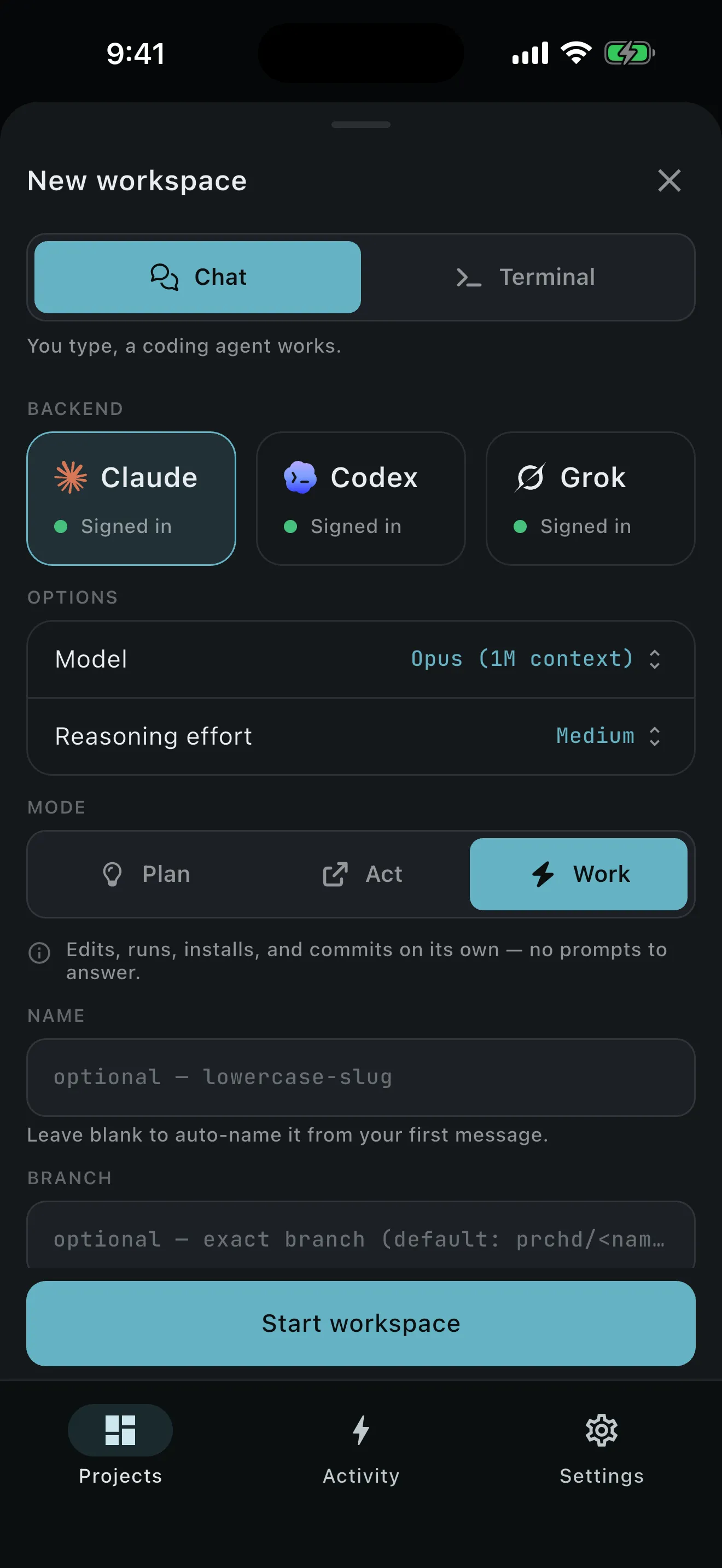
- Create the refactor workspace. Start from
main, accept or edit theprchd/…branch, and choose the agent with the right model and effort. - Create the bug-fix workspace. It gets a separate worktree, branch, snapshotted base, processes, and setup run.
- Create the dependency workspace. Use terminal-first when the work is a command sequence rather than an agent brief.
- Leave the app. Each running session stays on your computer. PRCHD keeps it awake while work or tracked processes are in flight.
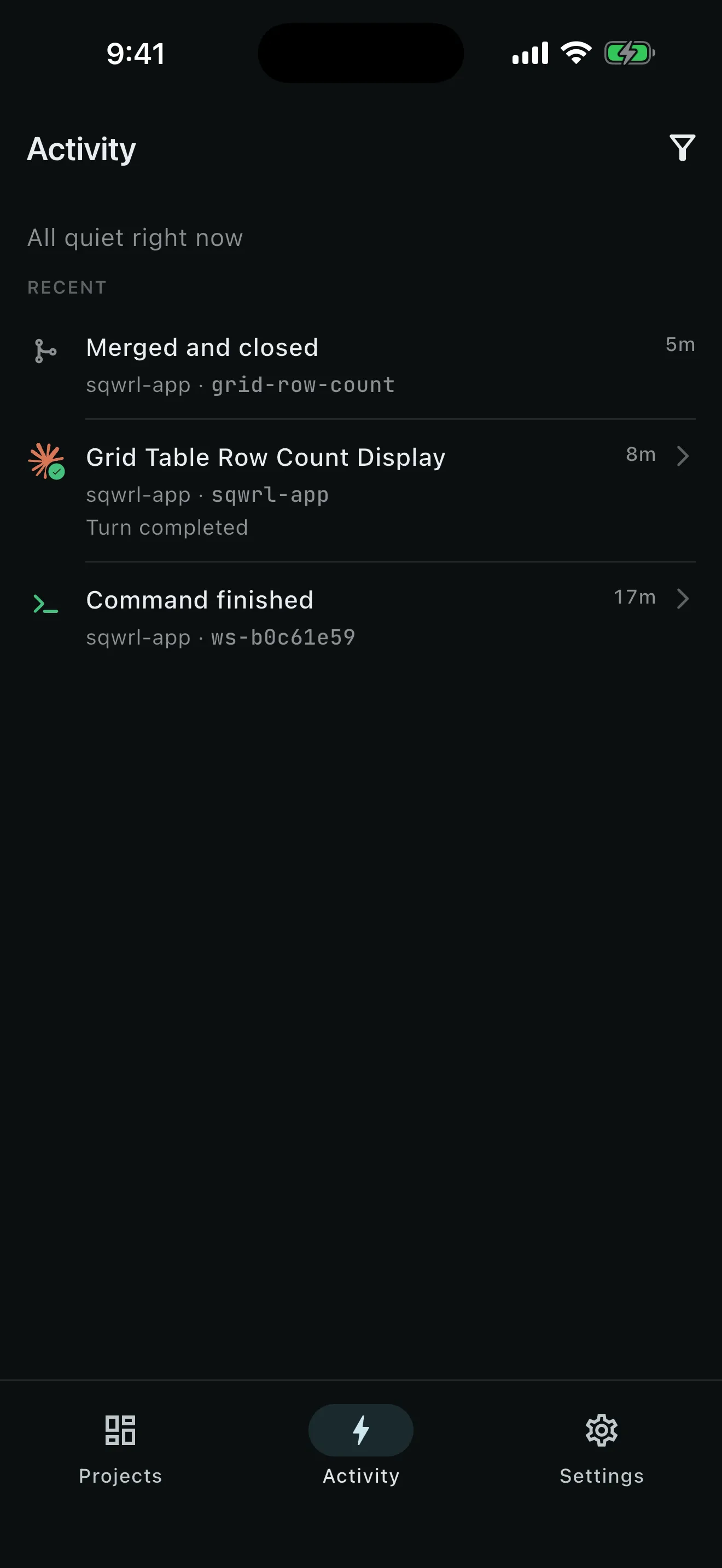
- Return to Activity. Needs you, Running, and Recent combine work across projects and every computer your phone is paired with. Host chips keep identical project names unambiguous.
- Review each branch on its own. Read its files and diffs, run its checks, and open its dev server, all inside that one workspace.
- Land or remove each result. Merge & Close the two that pass. Confirm Discard & Close for the branch you do not want.
Plain git keeps the three apart.
The isolation is ordinary git: every workspace is a worktree and branch made from a recorded base commit. The refactor and the bug fix work in separate directories, so an agent changing src/auth.ts in one workspace leaves the other copy untouched.
One workspace can also hold several chats and terminals in its own tab strip. Use that when two agents should work against the same branch; use separate workspaces when the lines of work should meet only at merge time.
Activity shows which of the three needs you.
With three lines running, your attention is the scarce part. Activity separates setup failures, unresolved merges, and missing agent sign-ins from work that is still running. Recent holds content-light milestones such as command outcomes, commits, pushes, and workspace closes. You can open the exact workspace from any row.
Optional push notifications can tell you that a turn or automation changed state. They respect quiet hours, name the project and workspace, and require your computer to be connected to the notification service. The payload routes you back to the authoritative state on your computer; it is not a transcript.
Your computer sets the ceiling.
How much runs well at once depends on your computer, the project’s setup cost, and your agent provider’s limits; PRCHD makes no concurrency promise. Close-time merge conflicts are resolved at the desk: if two good branches conflict when they land, the failed close keeps the later worktree for your usual desktop tools.
Starting a fourth task needs your computer to be reachable; there is no offline queue. Work already running continues and replays when you reconnect.
Run three at once. Review each one on its own.
Start several lines of work from one phone, then give each branch the same careful review before it lands.